Connect Shopify (order updates)
A step-by-step guide with pictures, from the Speakvora agent's own Connect tab.
Short answer: GOAL: whenever an order is placed, fulfilled or cancelled in your Shopify store, your agent hears about it and can text the customer. The agent only listens. It cannot change anything in your store. TIME: about 10 minutes. COST: free. YOU NEED: the Shopify admin (owner or staff with the Apps and Settings permission).
Every key, number and name in the pictures is a made-up example. Nothing here asks you to share a real key with anyone but the app on your own computer.
GOAL: whenever an order is placed, fulfilled or cancelled in your Shopify store, your agent hears about it and can text the customer. The agent only listens. It cannot change anything in your store. TIME: about 10 minutes. COST: free. YOU NEED: the Shopify admin (owner or staff with the Apps and Settings permission) and your agent running with a public address (Connect, Permanent address). The keys and screens below are examples.
TIP: You can't break anything. A webhook is just a message Shopify sends. If something is wrong you can delete the webhook and start again.
Part 1. Copy the agent's address
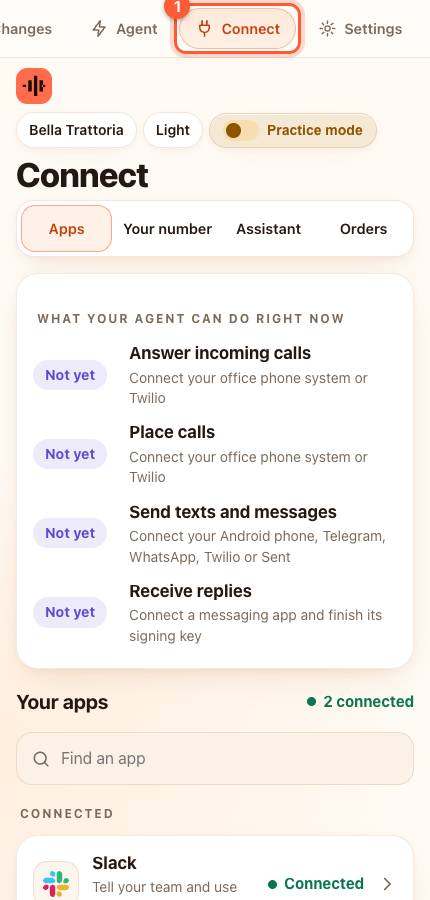
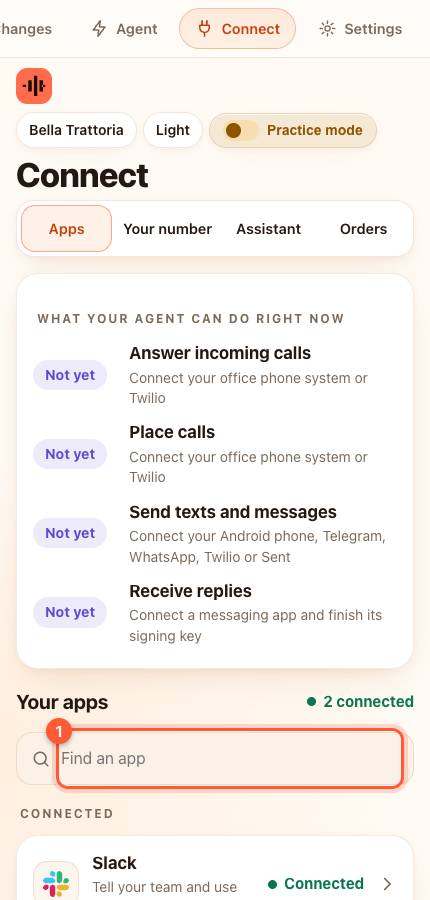
- In your agent press Connect, find Shopify (type it in Find an app) and press it. A card slides up.
- The card shows an address that ends in /event. Press Copy next to it. Keep this page open.
Part 2. Add the webhook in Shopify
- Open your Shopify admin and press [[Settings > Notifications]] (1). On the page that opens scroll down and press Webhooks (2).
- Press + Webhook (1). Choose the event Order creation, the format JSON, and paste the agent's address into URL. Press Save.
- Do it again for Order fulfillment and Order cancellation, using the same address.
- Back on the Webhooks page find Signing secret (2). It shows only dots, which is normal. Press the eye icon to show it, then the copy icon.

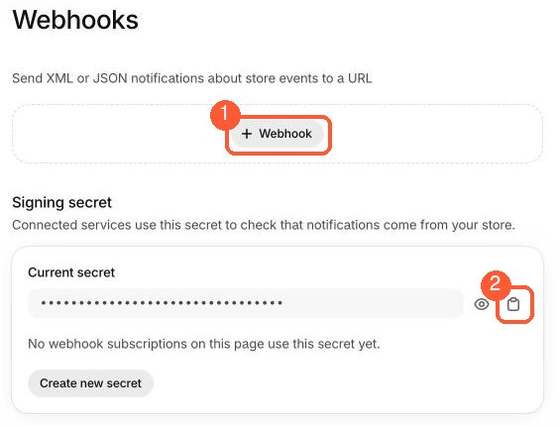
WARNING: The signing secret is private. It proves to your agent that a message really came from your store.
Part 3. Paste the secret into the agent
- Go back to the agent's Shopify card. Click inside Webhook signing secret from Shopify and paste (Command + V on a Mac, Ctrl + V on Windows).
- Press Save and test.
YOU SHOULD SEE: green words saying Connected. Place a test order in your store (Shopify Settings, Payments, use Bogus Gateway in test mode if you have no real order) and look in the agent's Activity: an event named order received appears.
What the agent understands
- a new order, an order that was fulfilled, an order that was cancelled. You choose what the agent does for each in Your agent, Explore ready-made automations.
If something is wrong
- Nothing arrives in Activity: check the address you pasted into Shopify ends in /event and starts with https. Press the Webhooks page's Send test notification if Shopify offers it.
- Activity says bad signature: the signing secret in the agent is not the current one. Copy it again from Shopify and paste it again.
- You rotated the secret in Shopify: paste the new one into the agent.
Advanced: let the agent also read orders (read only)
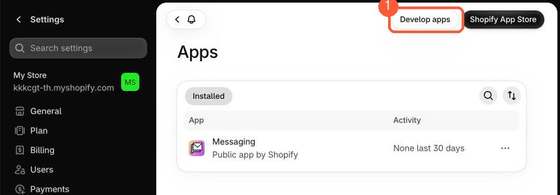
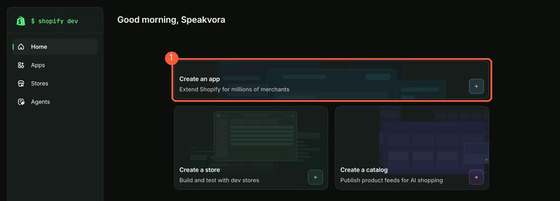
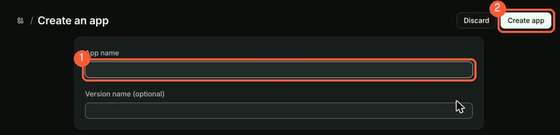
Shopify now creates read-only API access through its Dev Dashboard instead of the old Develop apps screen. Press Develop apps (1) on the Shopify admin Apps page, which opens the Dev Dashboard. There press Create an app (1), give it a name (1) and press Create app (2). Then choose read access to orders, install it on your store, and copy its credentials into the agent. This part is not yet confirmed against a live account: the steps after creating the app were not captured. If you try it, press Connect, Download report and send us what you saw.
All help guides · Every agent feature · AI receptionist by industry
Questions
What if this happens: Nothing arrives in Activity?
check the address you pasted into Shopify ends in /event and starts with https. Press the Webhooks page's Send test notification if Shopify offers it.
What if this happens: Activity says bad signature?
the signing secret in the agent is not the current one. Copy it again from Shopify and paste it again.
What if this happens: You rotated the secret in Shopify?
paste the new one into the agent.