Bug reported. Ticket filed.
Your agent turns a customer's bug report into a Jira ticket, a Confluence update and a Slack alert. Then it tells the customer when it's fixed.
One report. Everything updated.


From first report to fixed.
When it started
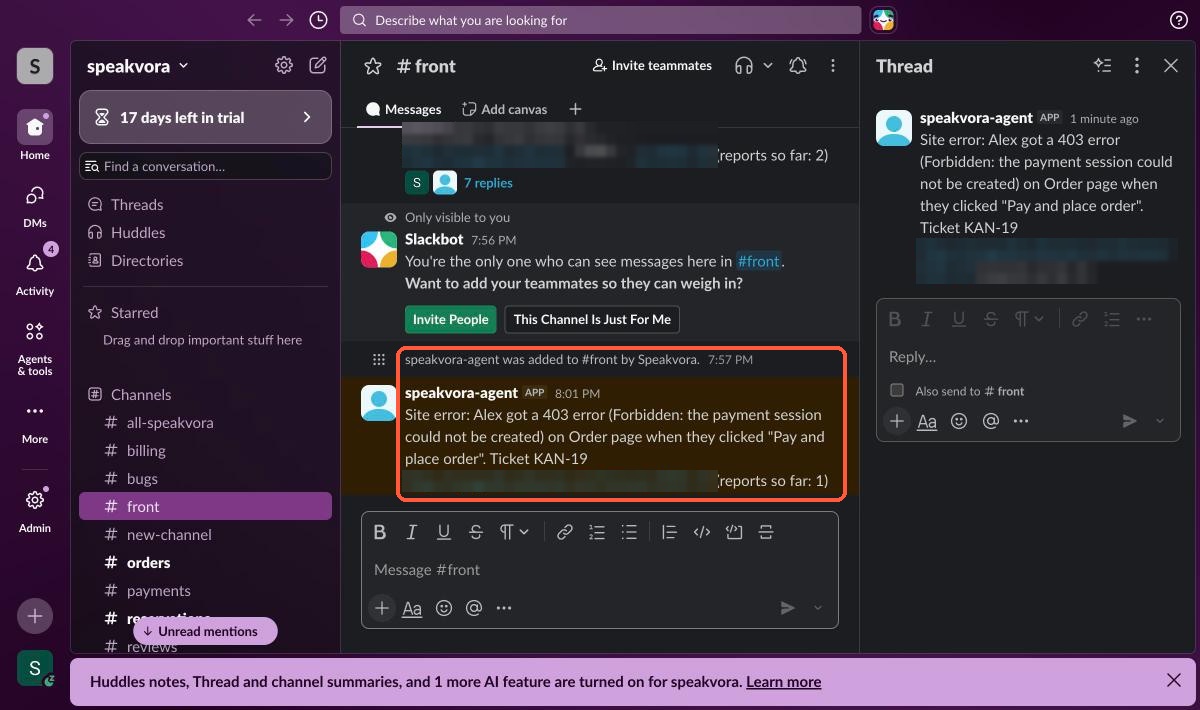
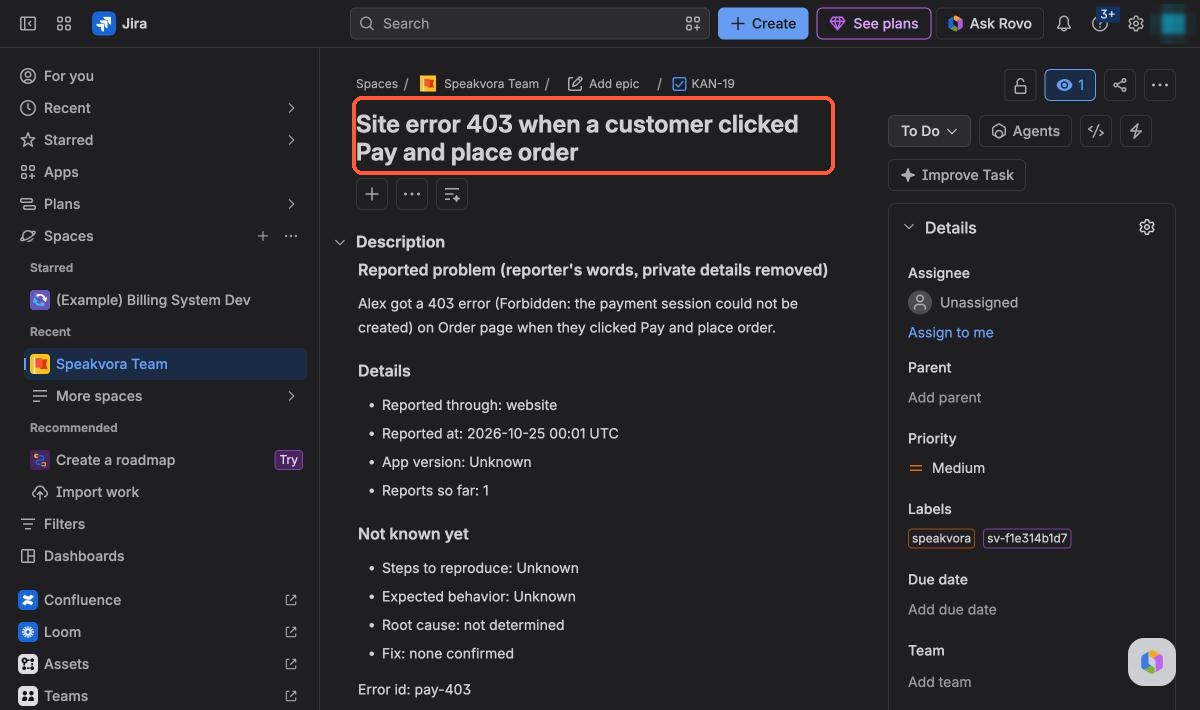
The ticket records the time of the first report. Later reports of the same problem are added to the same ticket.
How many reported it
Every ticket and Slack alert shows “reports so far.” That counts the reports your agent received, not every person your product reaches.
What changed first
With GitHub or GitLab connected, the ticket names the newest deploy, release or merge before the report, with its time gap, labelled as timing only. Staging deploys are ignored.
What the team is doing
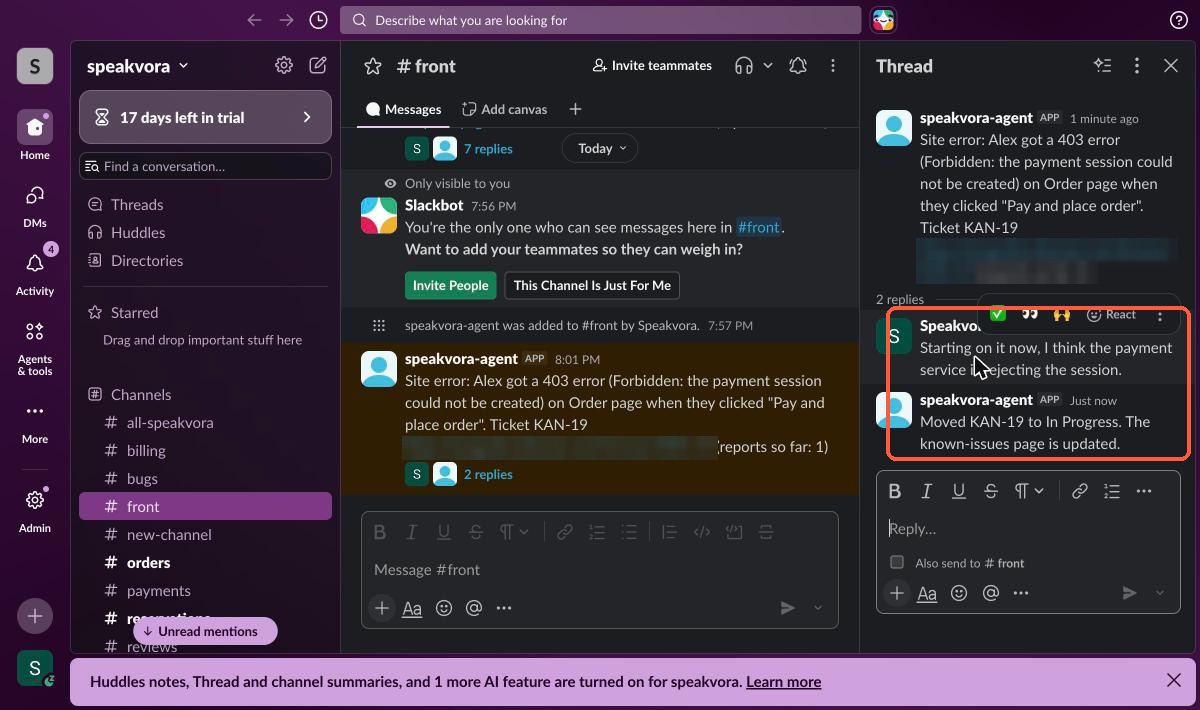
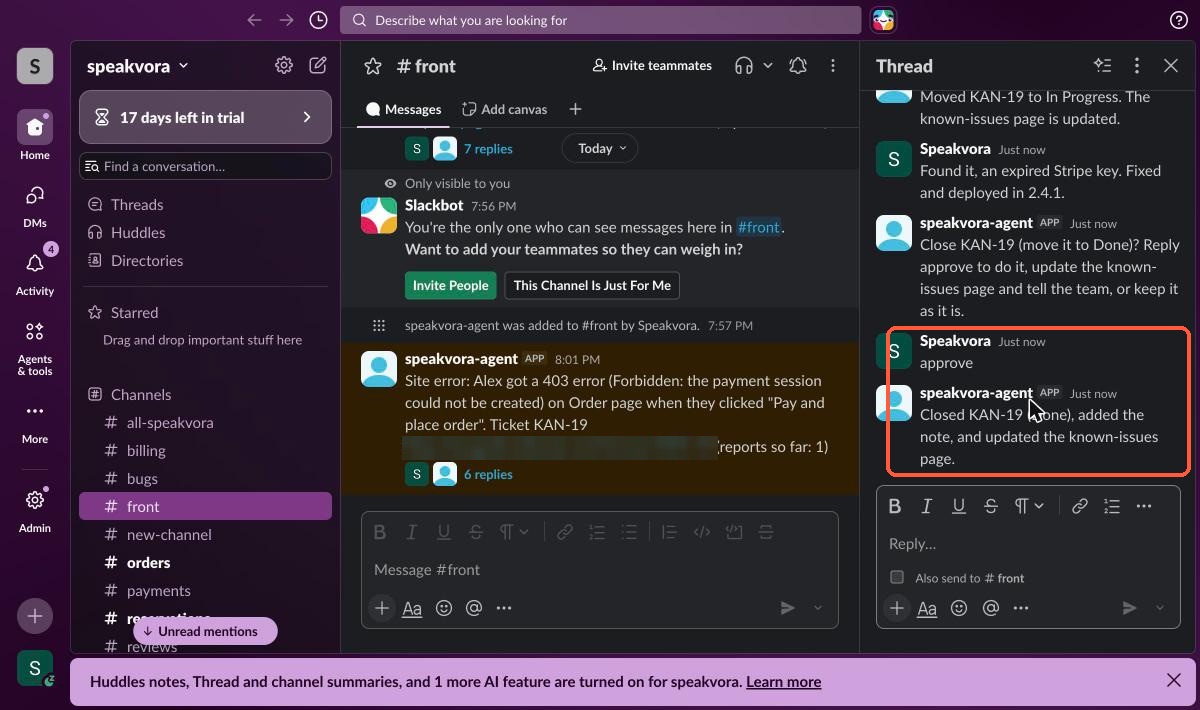
Replies in the alert's Slack thread become notes on the Jira ticket. With your own AI connected, a reply like “looking into it” moves the ticket to In Progress.
Who was told
When you approve the fix, everyone who reported it by text or email is told once. The ticket says how many were told.
Step by step.
A customer reports it
By text, email or call, or your own app sends the error.
Your team is alerted
A short Slack message (and Teams, if connected) with the details.
A Jira ticket is opened
A new bug, or the report is added to the matching one.
Confluence stays current
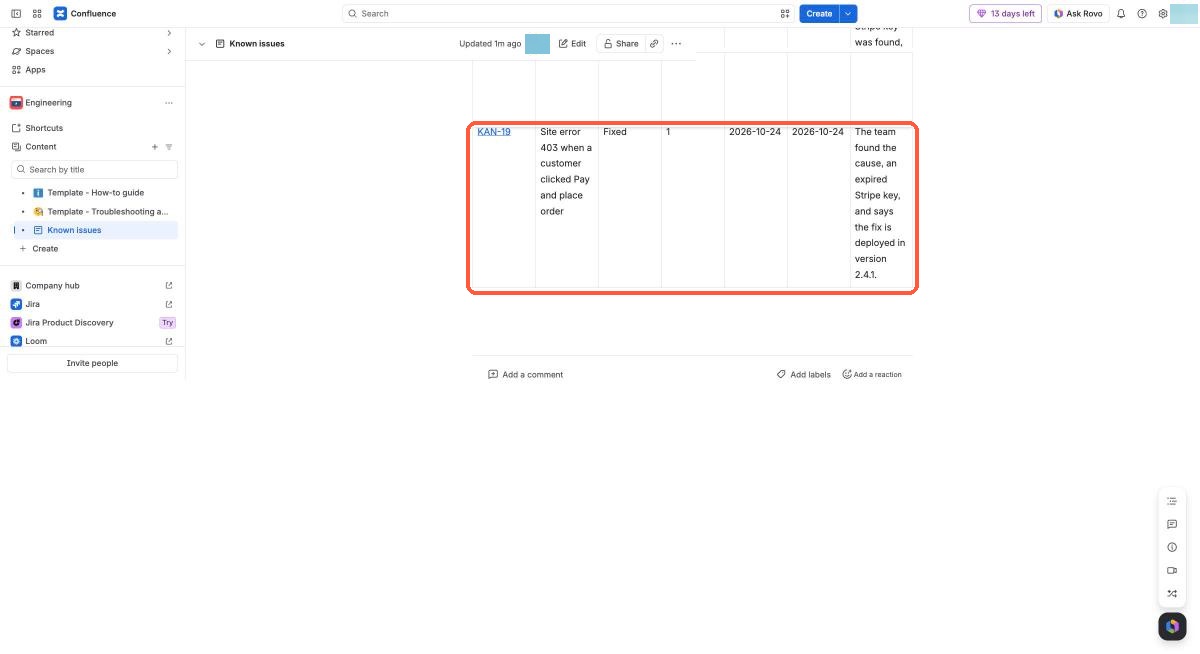
Your known-issues page gets a new row.
It shows what changed
Recent GitHub or GitLab deploys and changed files are added as possible causes.
Approve the fix in Slack
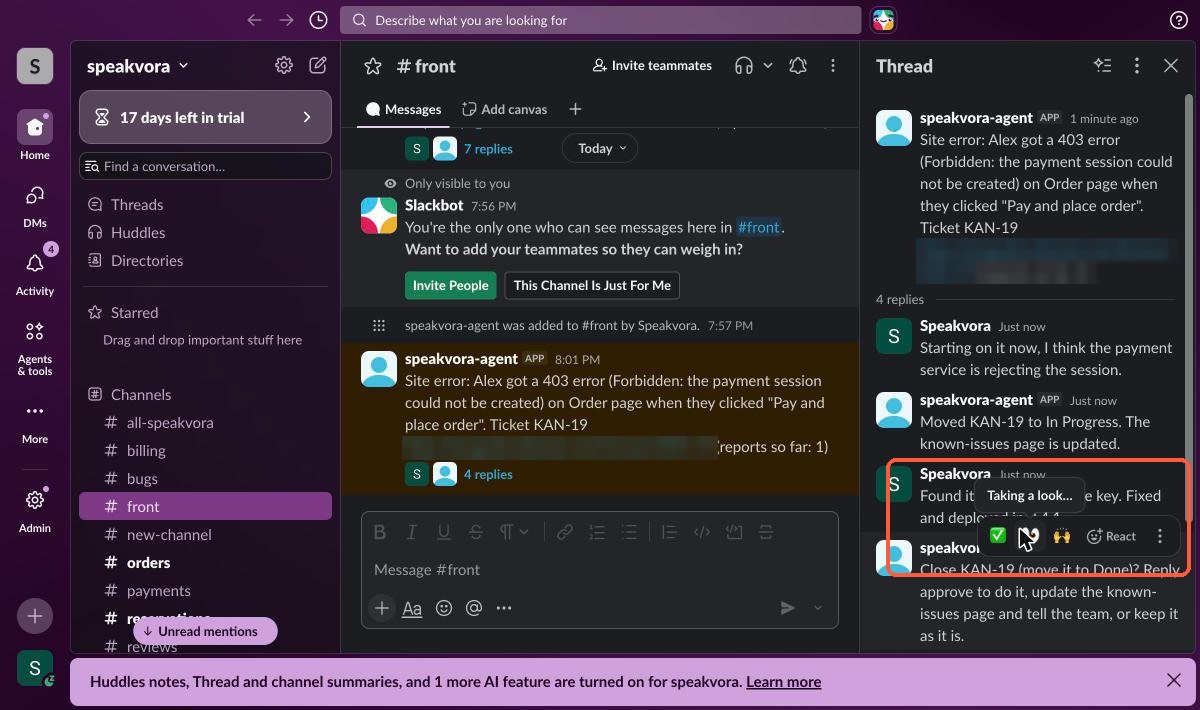
Say it's fixed. The agent asks you to approve, then closes the ticket and marks the row Fixed with the date.
The customer is told
A short text or email: the problem you reported is fixed.
If it comes back
A new ticket is opened and linked to the old one.
You stay in control.
Needs your Jira, Slack and Confluence connected. Code history needs GitHub or GitLab.
Practice mode first
Nothing is written to Jira, Confluence or Slack until you go live.
You approve the close
It asks before it closes a ticket. Auto-close is optional.
Private details removed
Card numbers, passwords, emails and keys are stripped from notes.
Evidence, not proof
Possible causes show what changed. A person decides what is true.
A real run, screen by screen.
Captured on 24 October 2026 in our own Jira, Slack and Confluence test workspaces, with a made-up customer. Nothing here is a mock-up.
Not in these screenshots yet: the GitHub or GitLab “what changed” line and the text sent to the customer. Both are described in the agent documentation and are not shown here as proof.
Stop chasing bug reports.
Try it live, or see every workflow your agent runs.