The dashboard that comes with every bundle
Connect Slack, Teams, Google, texts and your own apps, approve or decline what the agent does, add your own AI key and ask for missing phrases, all by clicking, with no developer.
Every industry bundle includes a small dashboard that opens in your browser and runs on your own computer, next to your agent. It is for the person who runs the business as much as for a developer. Start it with sv-agent run and open the address and token it prints.
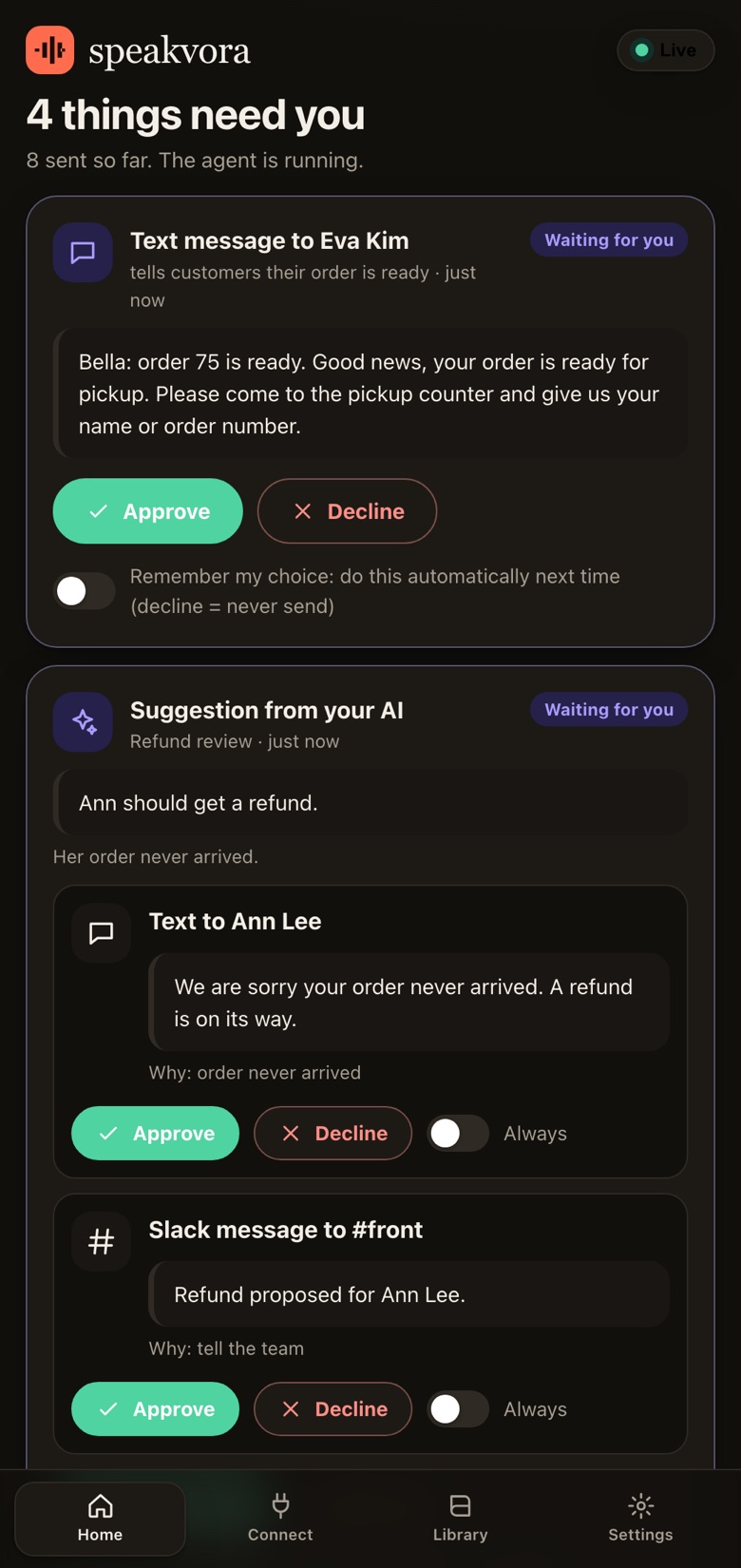
Home: see the task, then decide
Each thing the agent wants to do is a card in plain words: who it is for, what it will say, and why. Press Approve to let it go, Decline to stop it, or switch on Remember my choice so that kind of task happens automatically (or never) next time. Anything that failed shows what went wrong and a Retry button. Messages that could not be sent because the internet was down wait in a queue and go out in order, never twice.
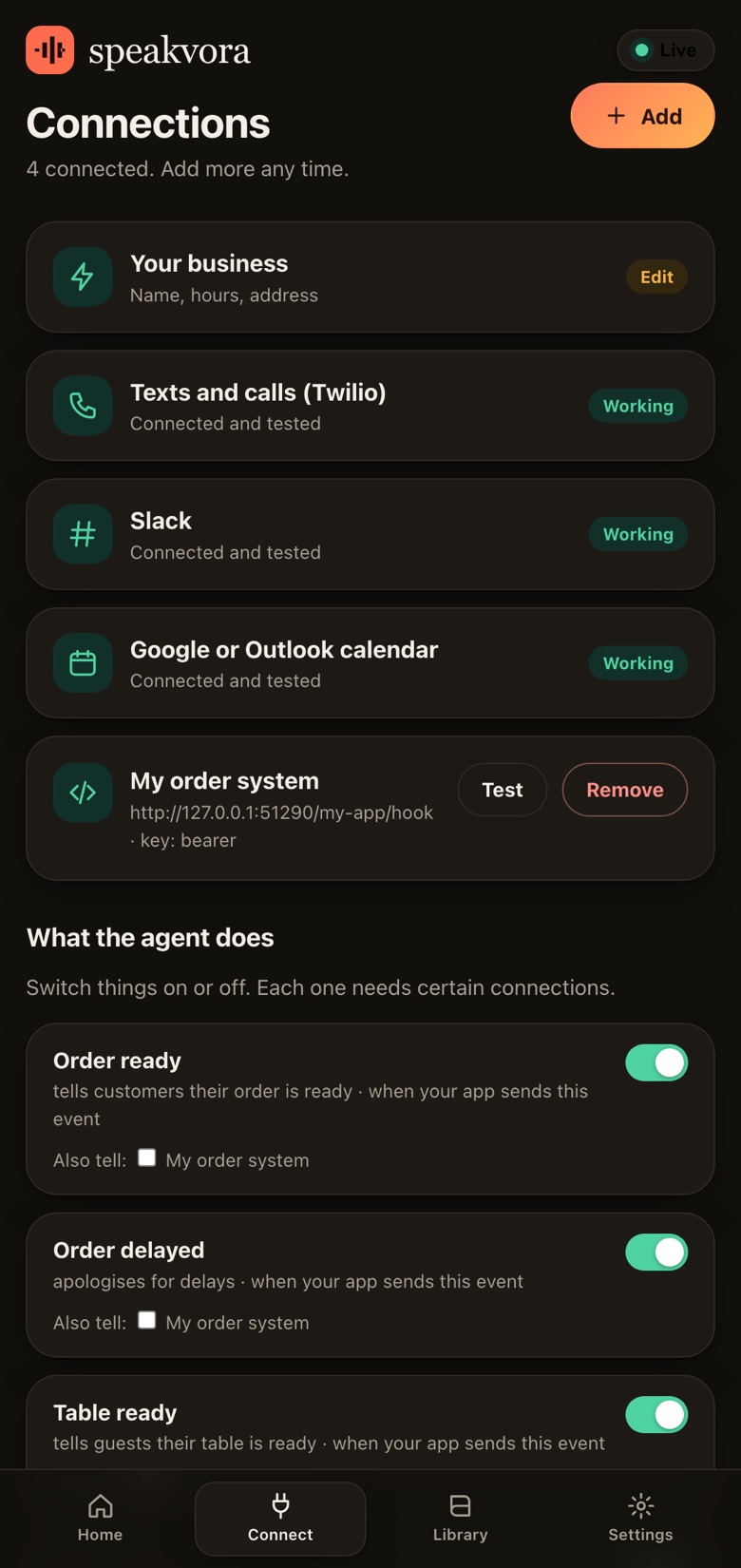
Connect: your tools, tested
Add your phone and text provider (Twilio), Slack, Microsoft Teams, a Google or Outlook calendar, email, and your own AI key. Each card has a Test button, so you know it works before you go live. Keys are stored on your computer only, in a private file, and are never shown again. Press + Add to connect any other software with an API key or a webhook, or to give your own application a way to send events to the agent.
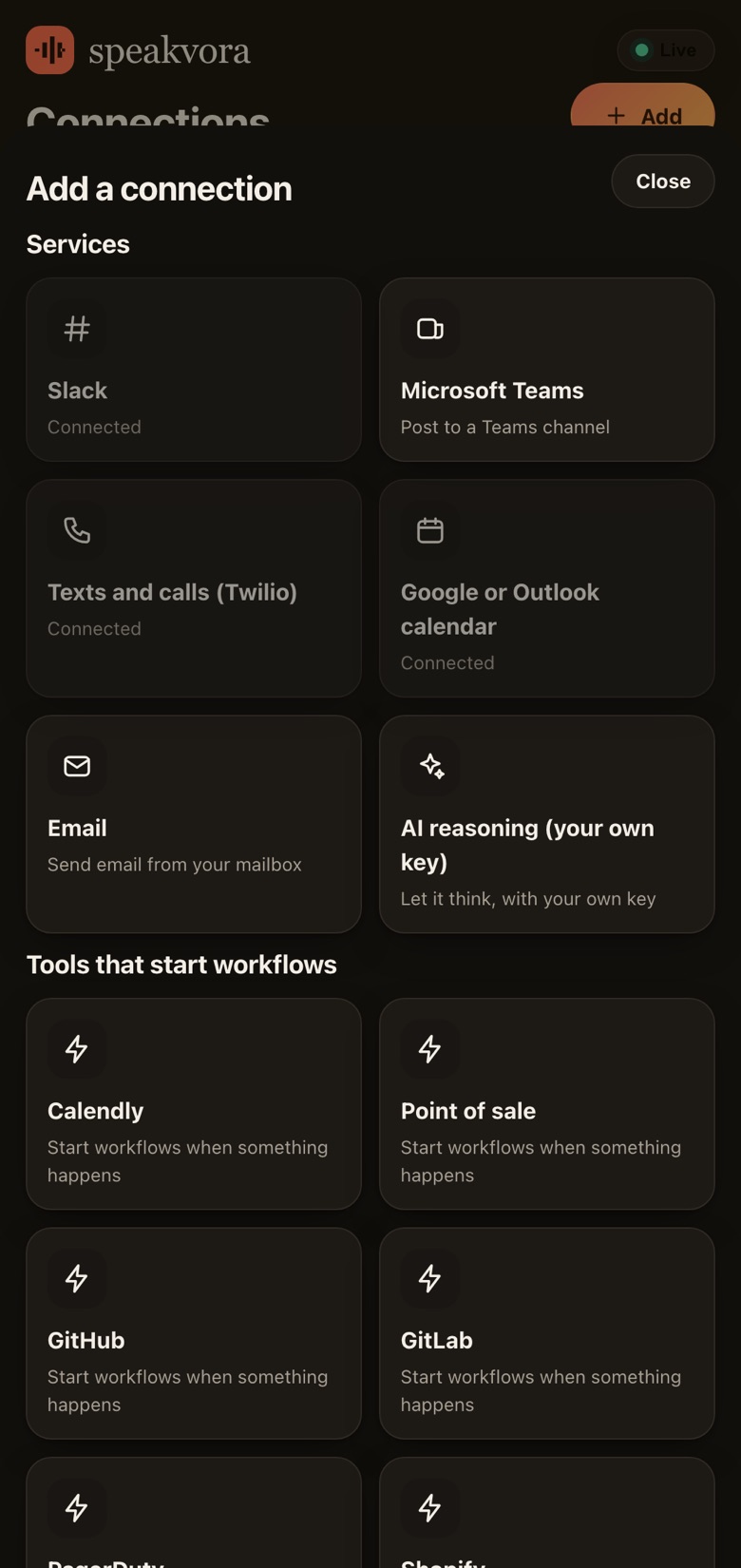
Bring your own AI key (optional)
Some requests are too open for fixed rules, such as "which of these customers should get a refund?". Paste a key from any OpenAI-compatible provider or from Anthropic, or point it at a model running on your own machine. The agent sends the model only what the workflow chooses, with emails, phone numbers and card-like numbers replaced first. The model can only suggest; every suggestion appears as a card for you to approve. You pay your AI provider directly and we charge nothing extra.
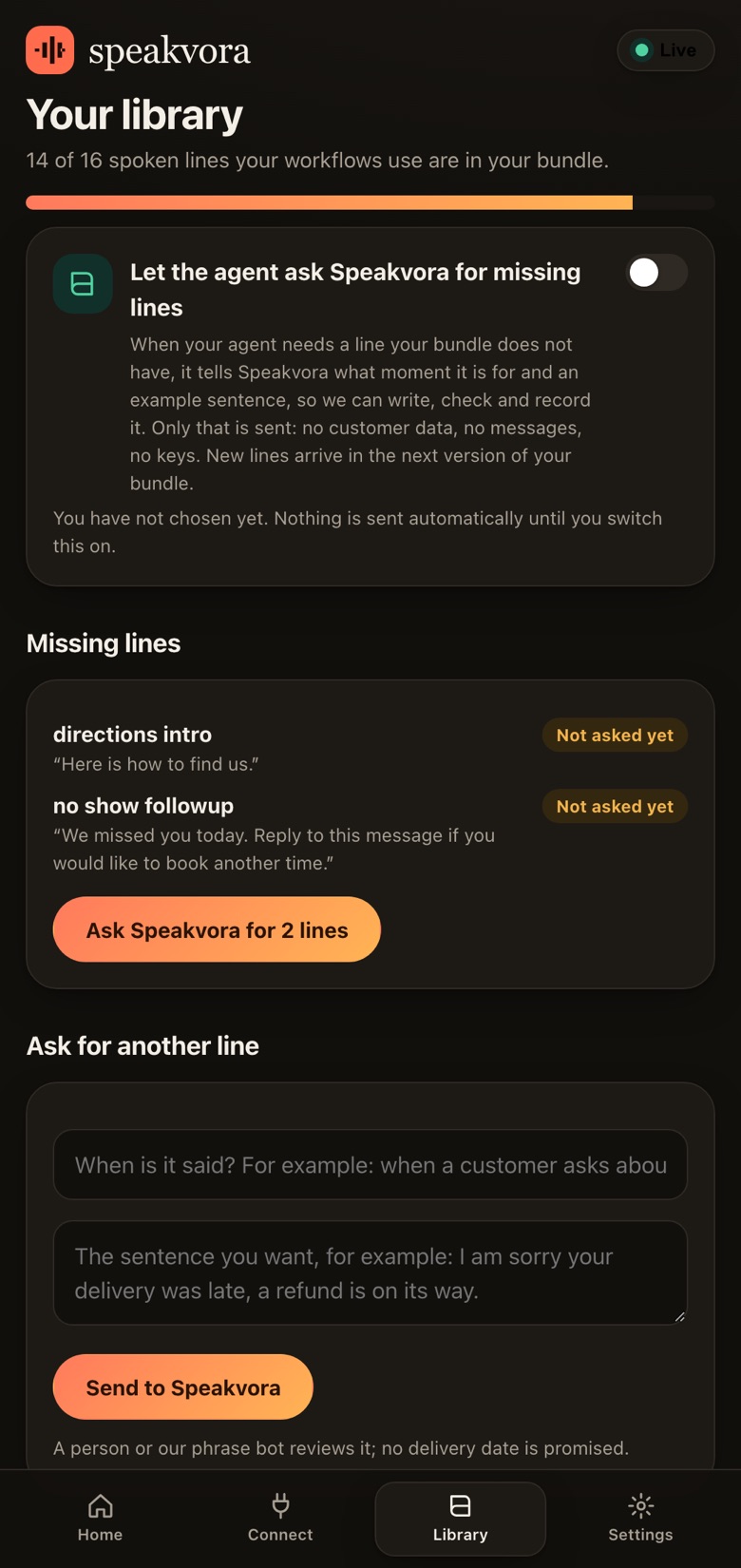
Library: ask for missing phrases
See which lines your workflows want that your bundle does not have yet. If you agree, the agent sends the request to Speakvora and it is written, checked, recorded and added to a later version of every bundle in your industry. Updated versions are free for four years from purchase.
What it does not do
It follows the rules you configure and is not a free-talking assistant. It does not give road, legal or medical advice, and it never sends anything outside your quiet hours, limits and consent rules. Screenshots show demo data.